A call comes in. Answer it on your Mac.
A small card floats over whatever you're doing, with the caller's name. Pick up and hear them through your Mac.

ArjunCalling…
DeclineAnswer Bring your
Your phone's screen, its apps as real Mac windows, your chats, photos, texts and calls — all in one native Mac app. No account. Nothing from your phone leaves your Mac.
Free · macOS 14 or later · Android 5 or later
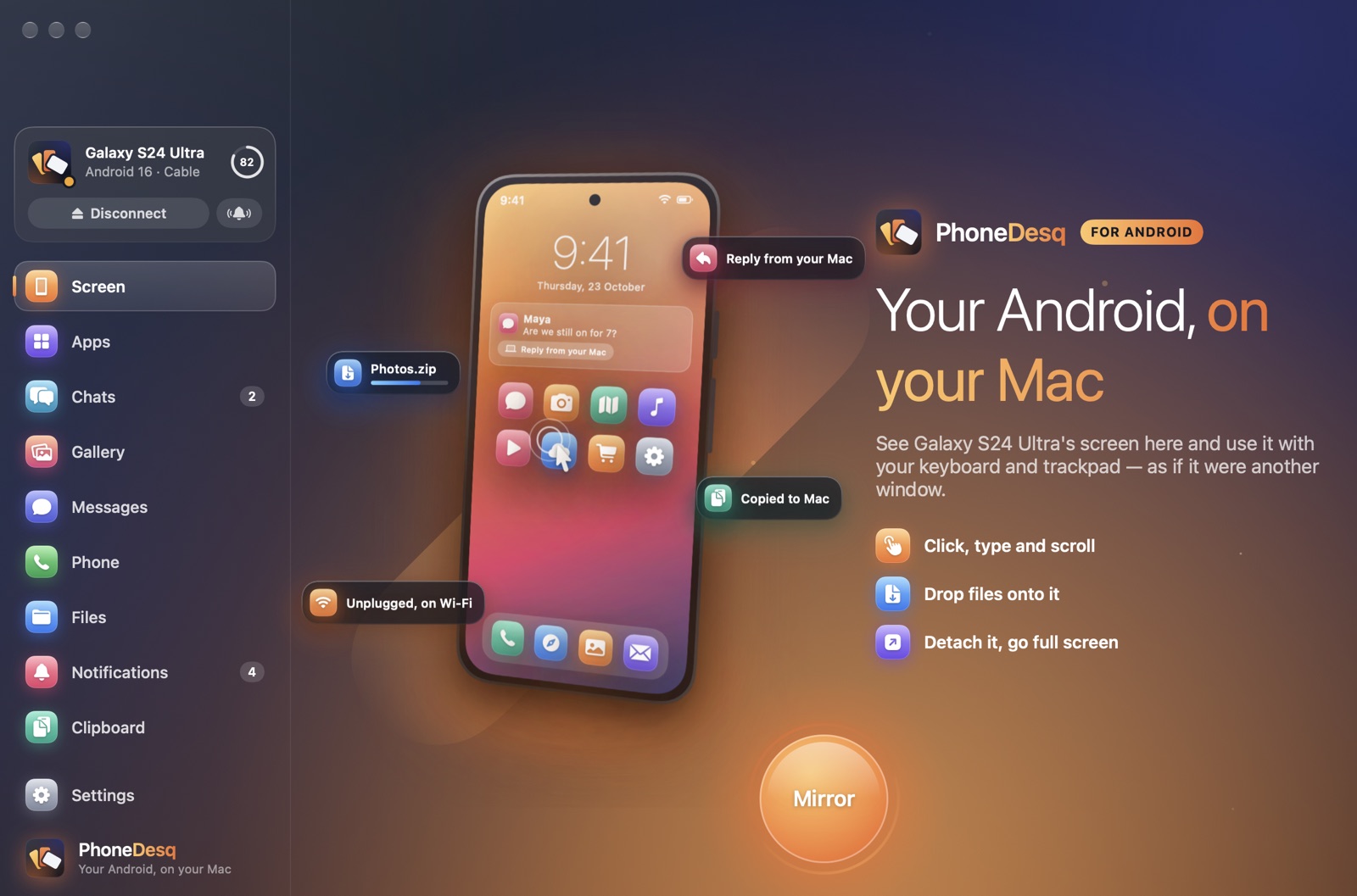
A real Mac app: fast, quiet, at home next to Finder and Messages.
Straight from your phone to your Mac. Nothing in between.
Plug in once; after that it finds your phone on your Wi-Fi.
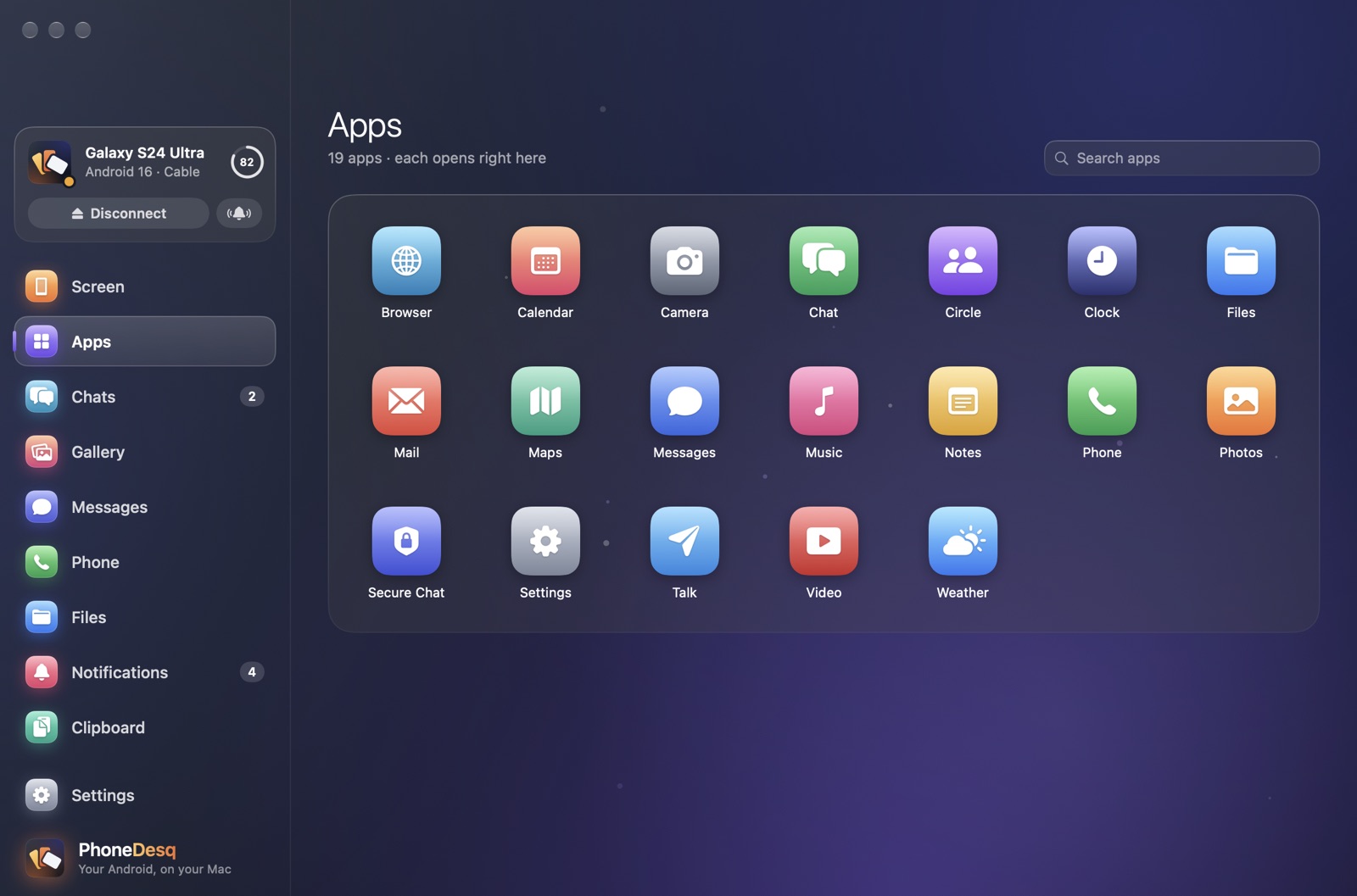
Apps as Mac windows
Open WhatsApp, Instagram or your banking app right on your Mac. Each one gets its own resizable window, laid out like a tablet — and your phone stays dark in your pocket.
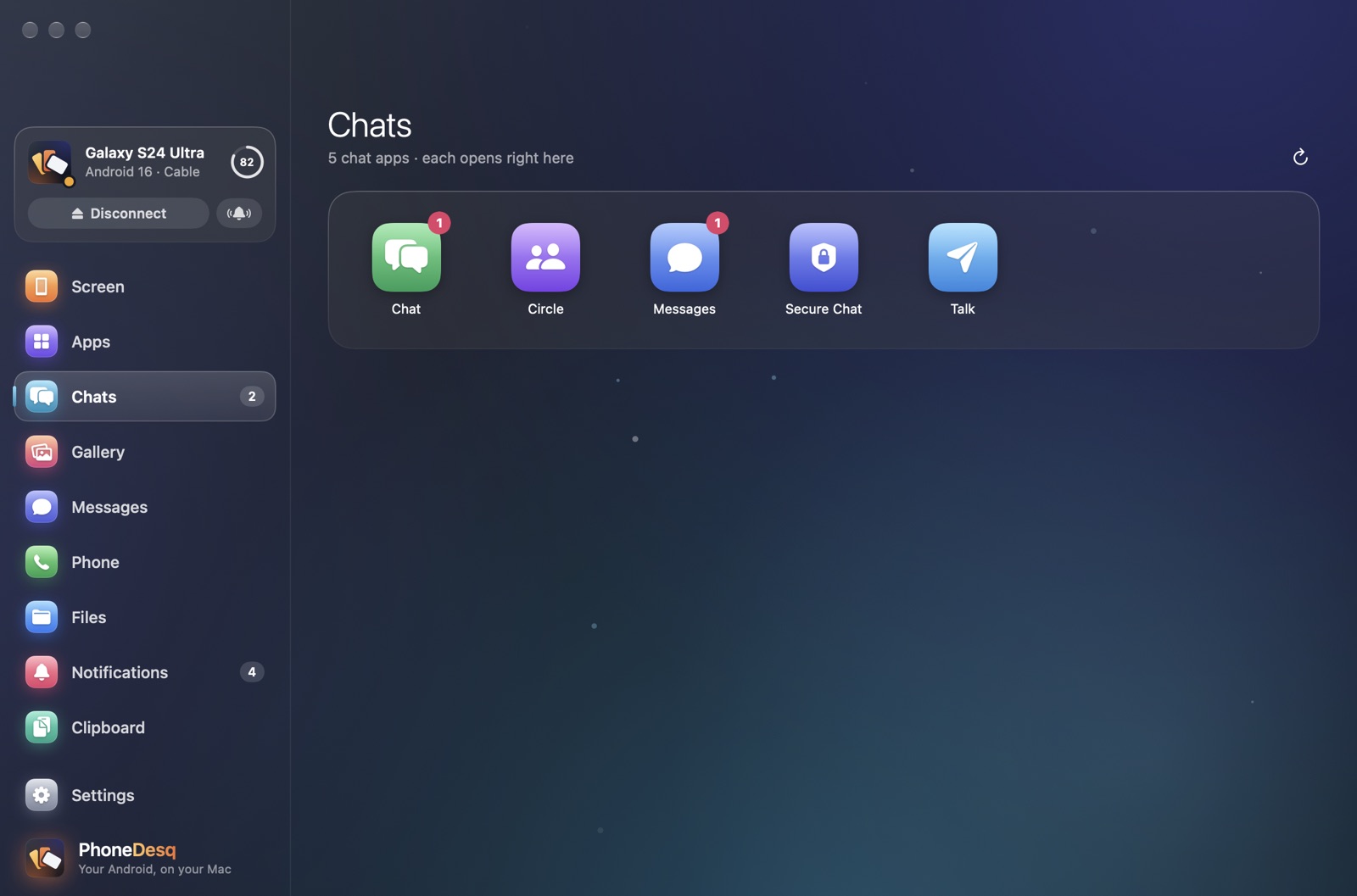
Chats
WhatsApp, Telegram, Signal, Messenger and more — the real apps, with every conversation, photo and voice note, opened in a window. A badge shows who's waiting.
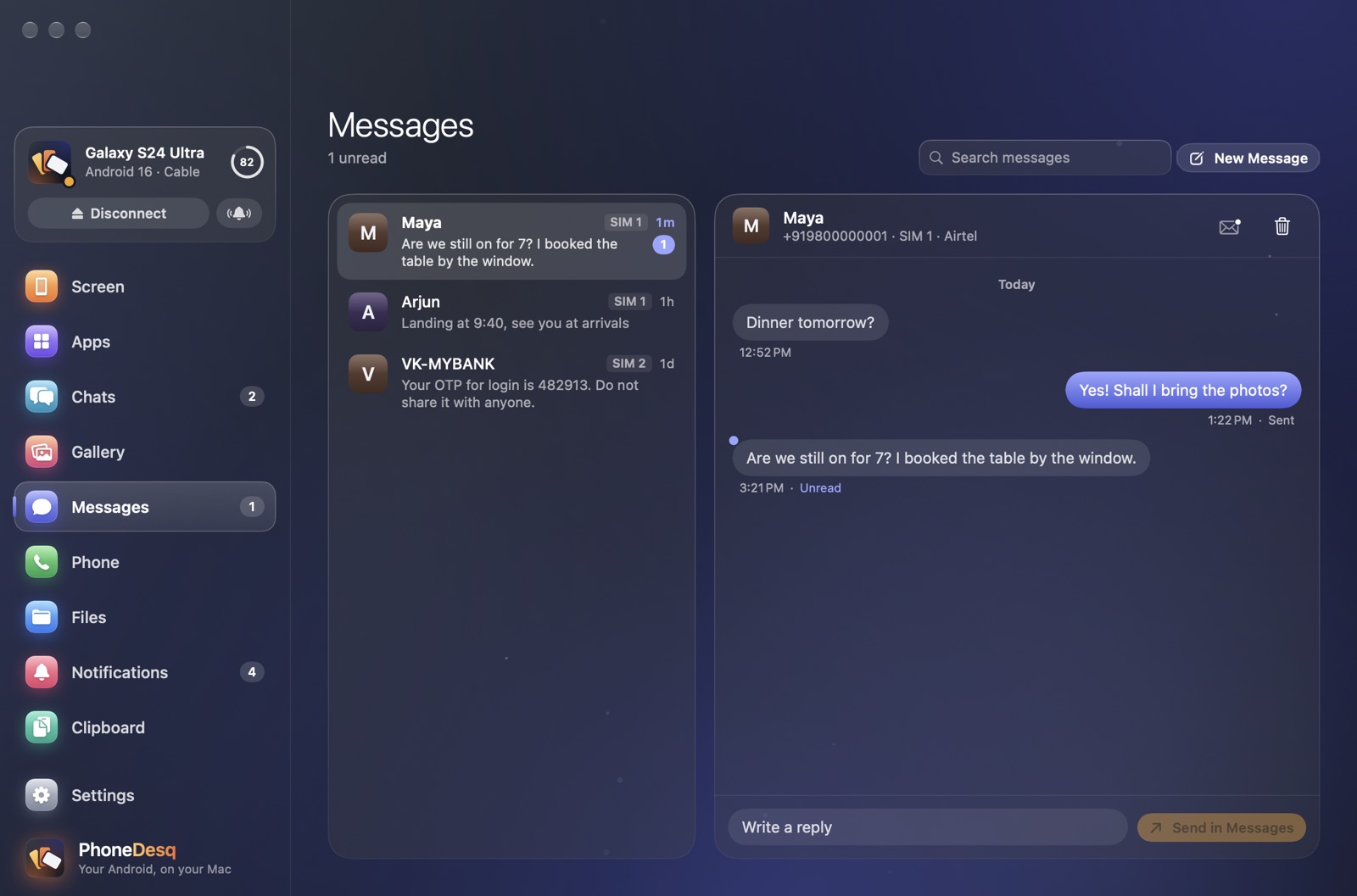
Messages and calls
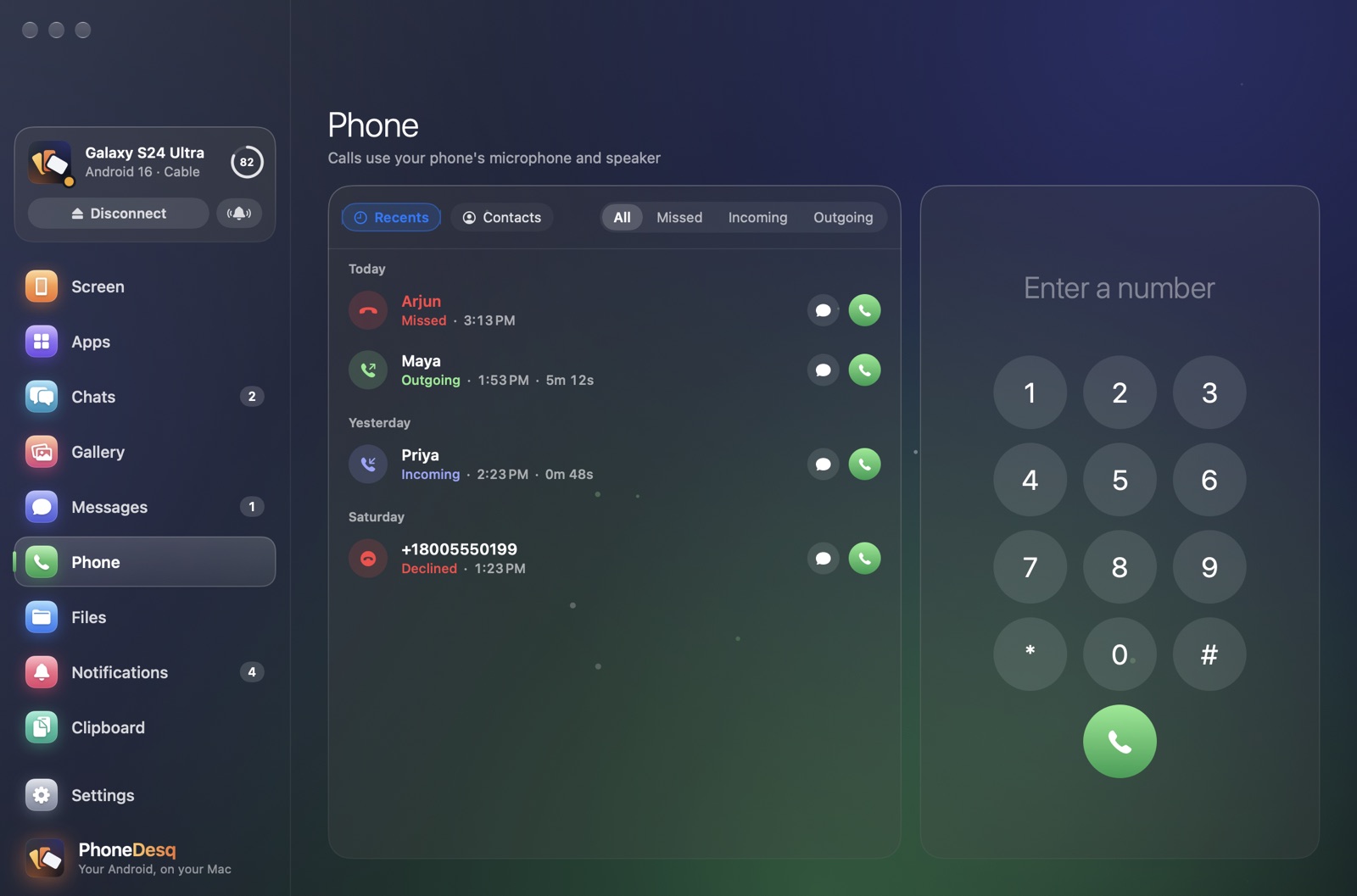
Read and answer your texts, see who's calling, answer or decline from your Mac, and hear the call through your Mac's speakers.
Gallery and files
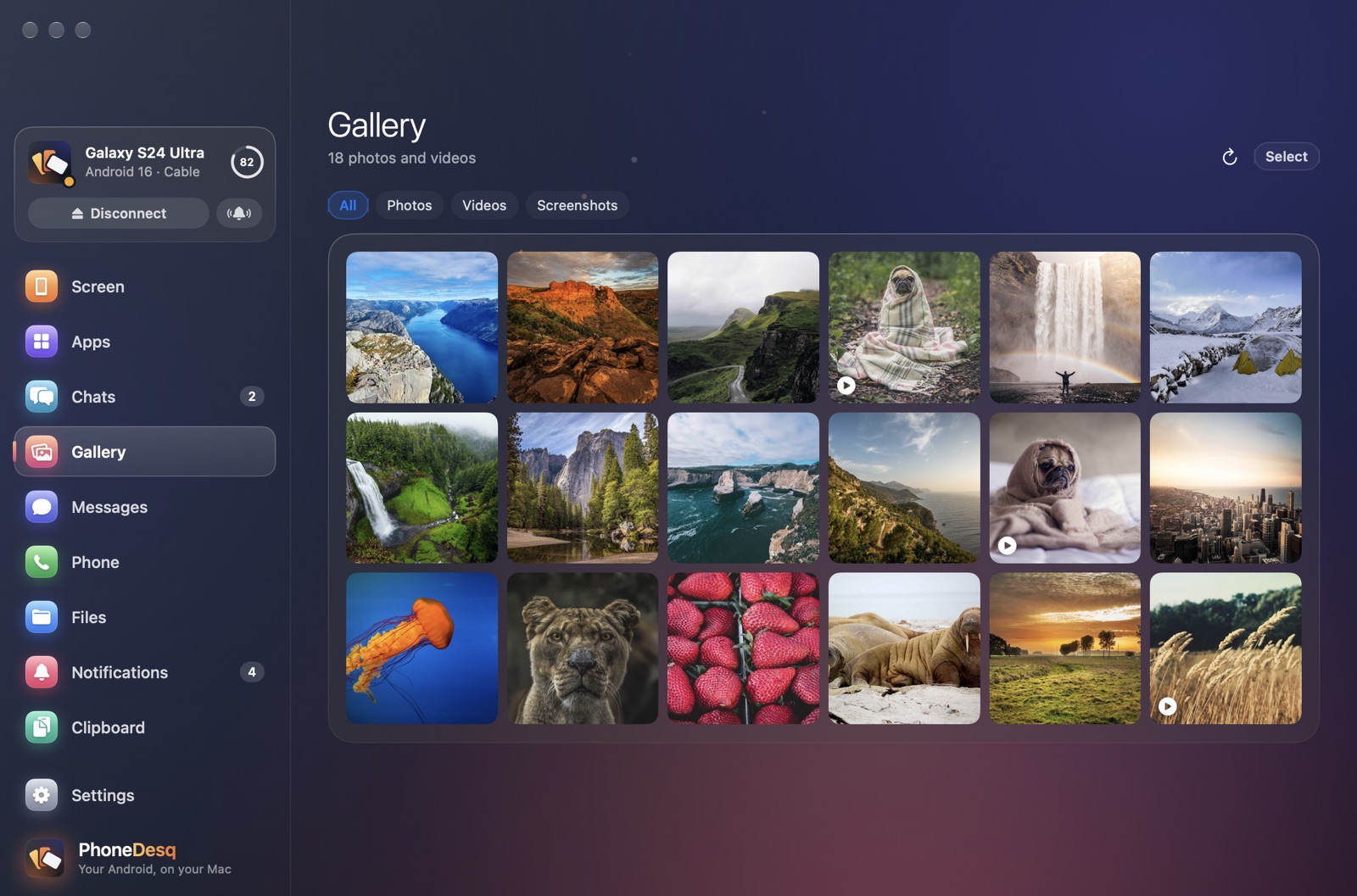
Browse every photo and video, drag them to the Finder, or save a batch as JPEG or HEIC. Send files to your phone by dropping them in.
Notifications
Your phone's notifications appear in Notification Center. Reply inline, use the app's own buttons, and clear them on both at once.
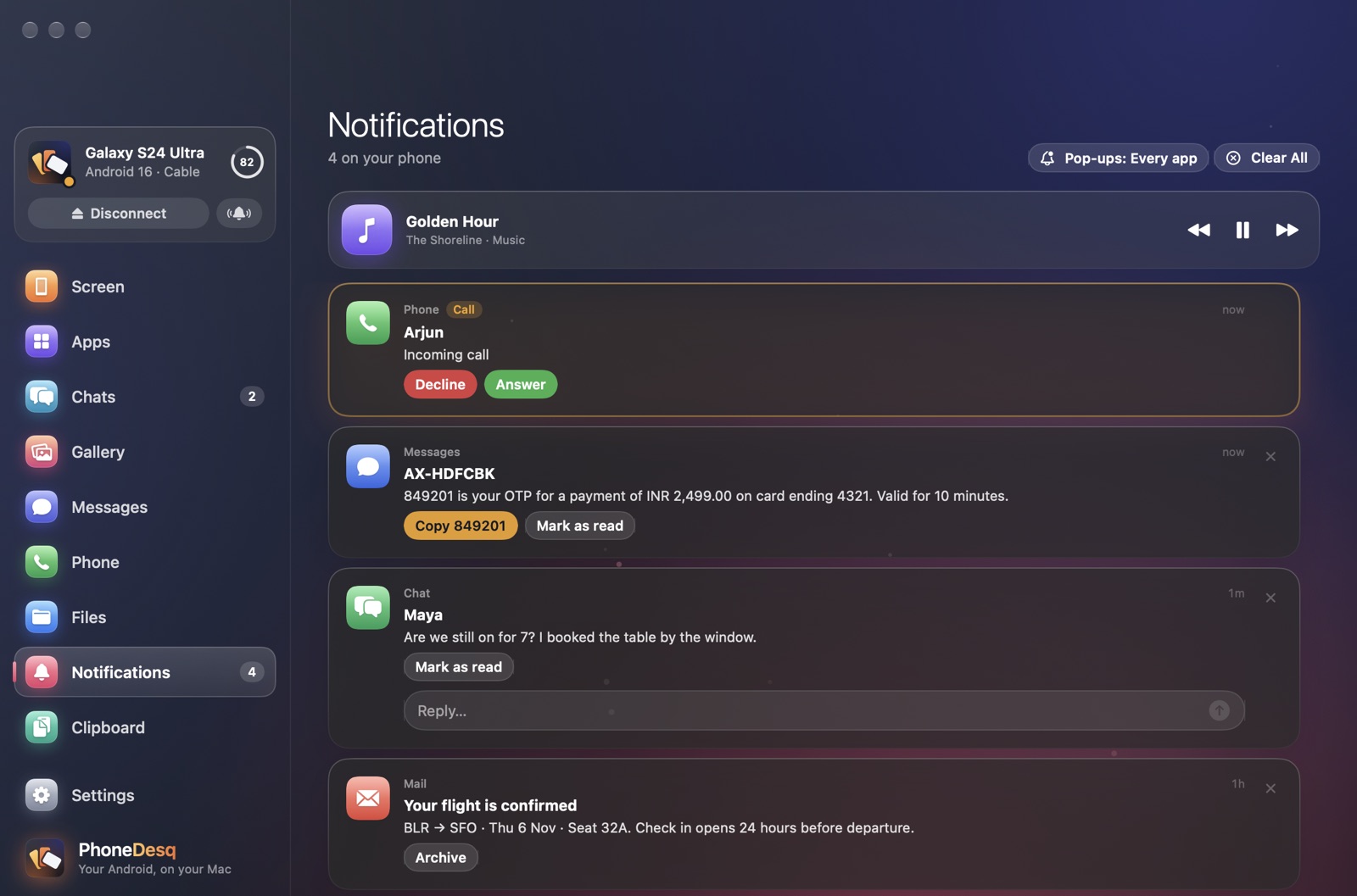
A small card floats over whatever you're doing, with the caller's name. Pick up and hear them through your Mac.
Recents, missed calls and every contact. Call anyone from your keyboard.
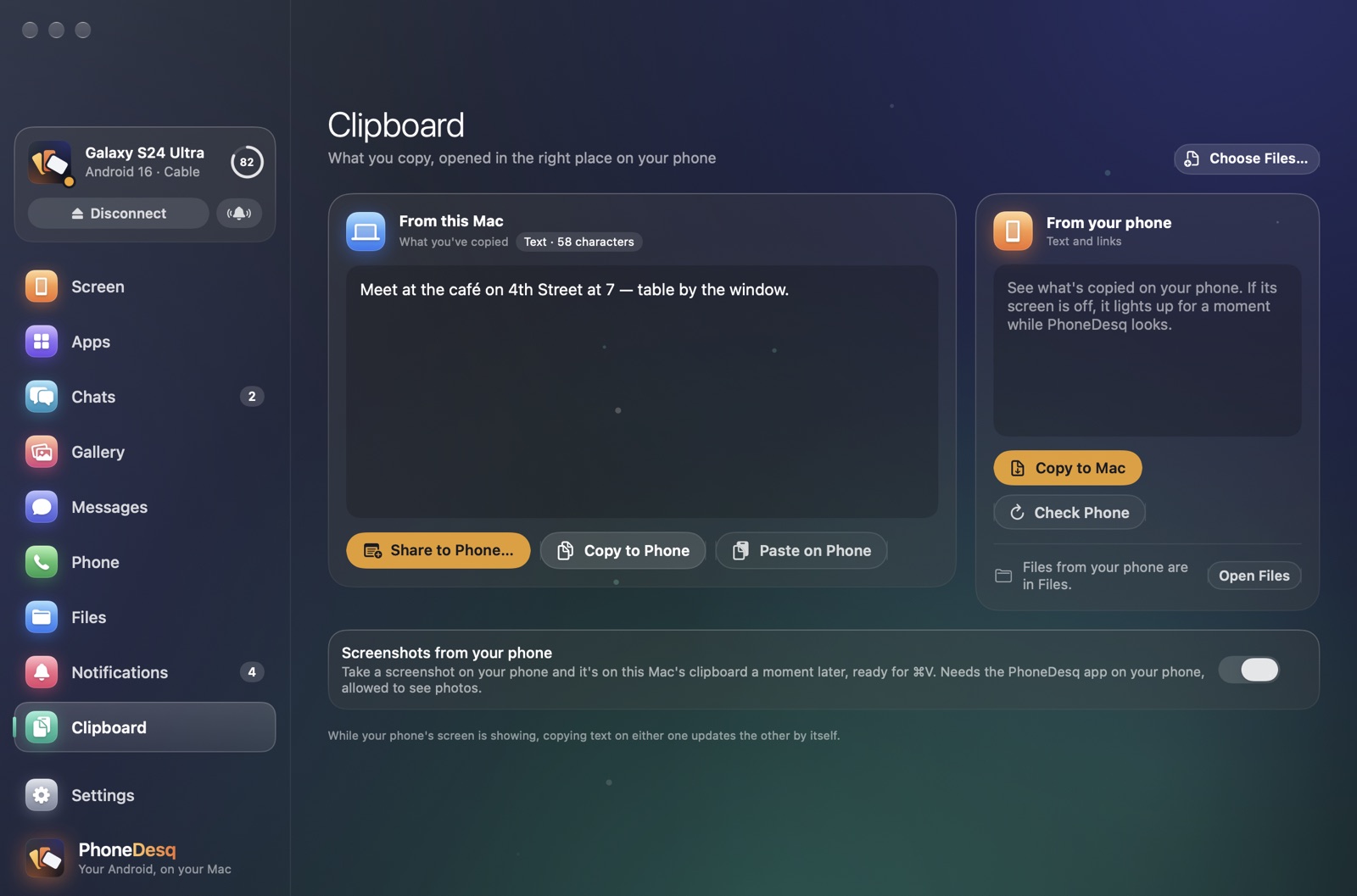
Send what you copied to your phone, or bring its clipboard to your Mac, in one click.
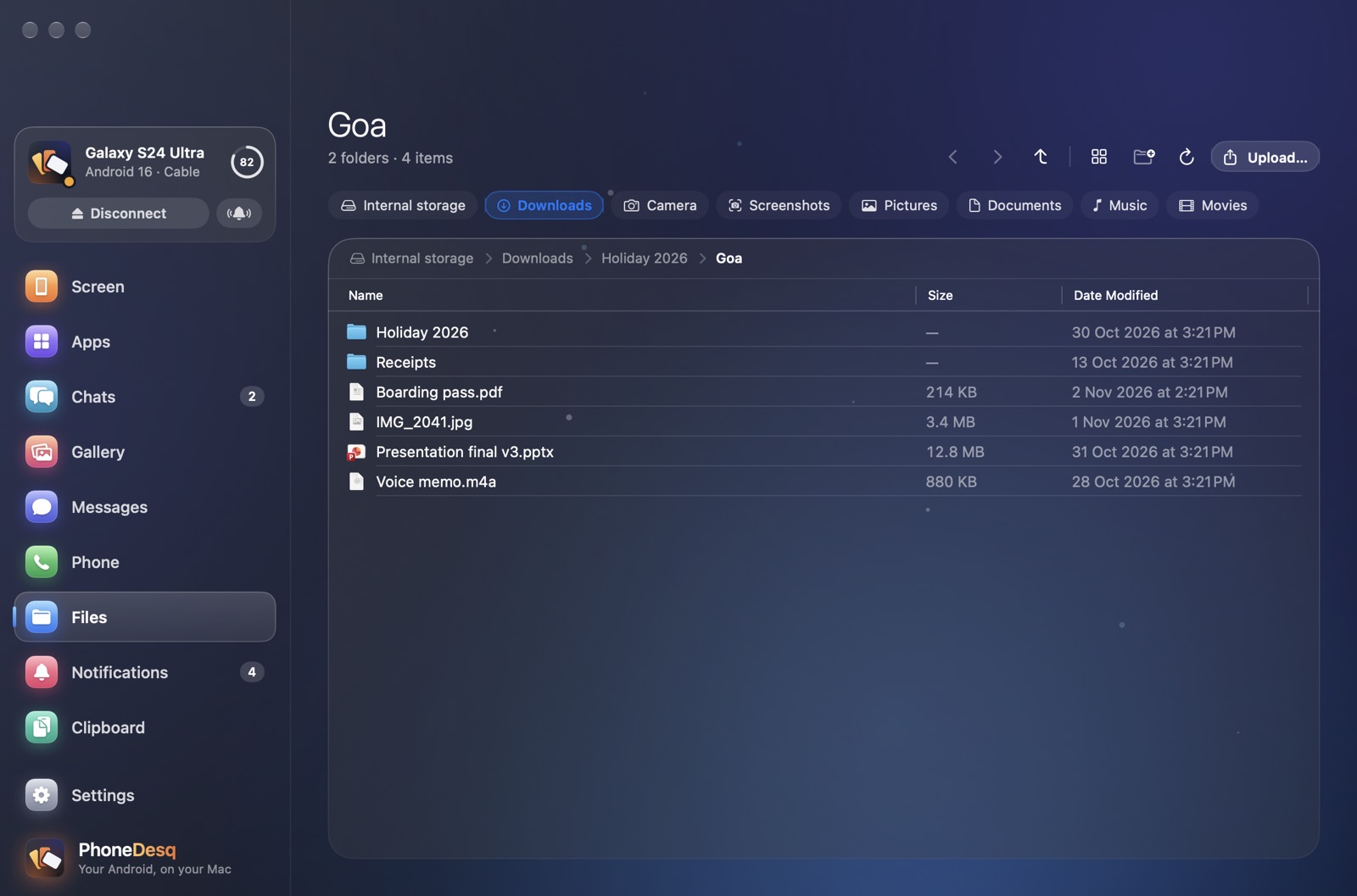
Browse your phone's folders like the Finder. Drop files in, drag them out. If the cable comes out halfway, the copy carries on from where it stopped.
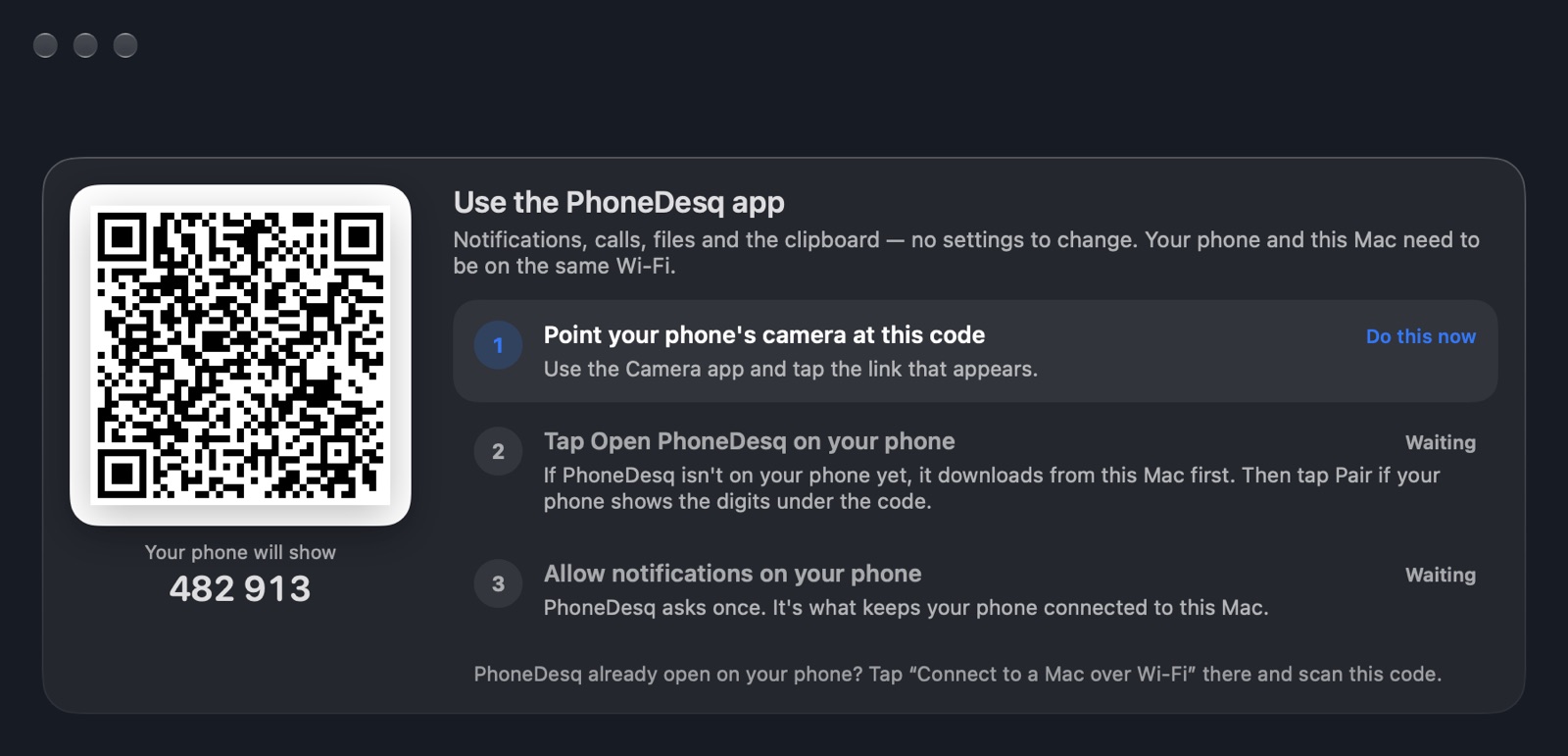
Point your phone's camera at the code on your Mac. Both show the same six digits, so you know it's really your phone.
Getting connected
Start with a cable for everything, or scan one code for notifications, calls, files and the clipboard. Either way, PhoneDesq finds your phone on your Wi-Fi from then on.
Everything, including your phone's screen and apps. Turn on one phone setting once, and PhoneDesq walks you through it.
No settings to change: point your phone's camera at the code on your Mac. Notifications, calls, files, photos and the clipboard.
Unplug any time. PhoneDesq reconnects over your Wi-Fi by itself — and over Bluetooth where there's no shared network.
Local by design
Your messages, photos, calls and screen travel straight from your phone to your Mac — over the cable or your own Wi-Fi, encrypted. No account to make, no cloud in the middle, nothing to sync to anyone's servers.
A native Mac app that brings your Android phone to your Mac: its screen, which you control with your keyboard and trackpad, its apps as resizable Mac windows, and your chats, texts, calls, photos, files, notifications and clipboard.
Yes. PhoneDesq is free to download and use.
Any Android phone running Android 5 or later, and any Mac running macOS 14 or later. Opening phone apps in their own Mac windows needs Android 10 or later.
Plug in once with a cable for everything, including your phone's screen and apps. After that PhoneDesq reconnects over your Wi-Fi by itself. Or scan one code for notifications, calls, files, photos and the clipboard with no cable at all.
No. Your messages, photos, calls and screen go straight from your phone to your Mac, over the cable or your own Wi-Fi, encrypted. There is no account and no cloud in the middle.
Yes. See who is calling, answer or decline, and hear the call through your Mac. Read and reply to your texts, and reply to notifications right from Notification Center.
PhoneDesq is free. Download it, plug in your phone, and you're done.